In the R world, you’ll often hear about different “dialects” or ways of writing code. While they all get you to the same destination, the journey looks quite different. Today, we’ll explore three of the most popular approaches for data manipulation:
Base R: The original, built-in syntax of R.
The Tidyverse: An opinionated collection of packages designed for data science that share a common philosophy.
data.table: A package optimized for speed and memory efficiency, known for its concise syntax.
We’ll use the built-in mtcars dataset for all our examples to perform a simple task: Find the average miles per gallon (mpg) and horsepower (hp) for all 8-cylinder (cyl) cars.
# load data explicitlymtcars <- datasets::mtcars# Take a peek at the datahead(mtcars)
Base R is the foundation of the R language. It requires no external packages and is incredibly powerful and flexible. The syntax often involves using brackets [ for subsetting and the $ operator to access columns (data frame variables).
Data Manipulation with Base R
Here, we first create a logical vector is_8_cyl to identify the rows we want. We then use that vector to subset the data frame and finally apply the mean() function to the columns of interest using lapply().
# First, create a logical index for 8-cylinder carsis_8_cyl <- mtcars$cyl ==8# Subset the data frame using the logical indexeight_cyl_cars <- mtcars[is_8_cyl, ]# Calculate the mean for the desired columnsavg_stats_base <-lapply(eight_cyl_cars[, c("mpg", "hp")], mean)print(avg_stats_base)
$mpg
[1] 15.1

$hp
[1] 209.2143
Plotting with Base R
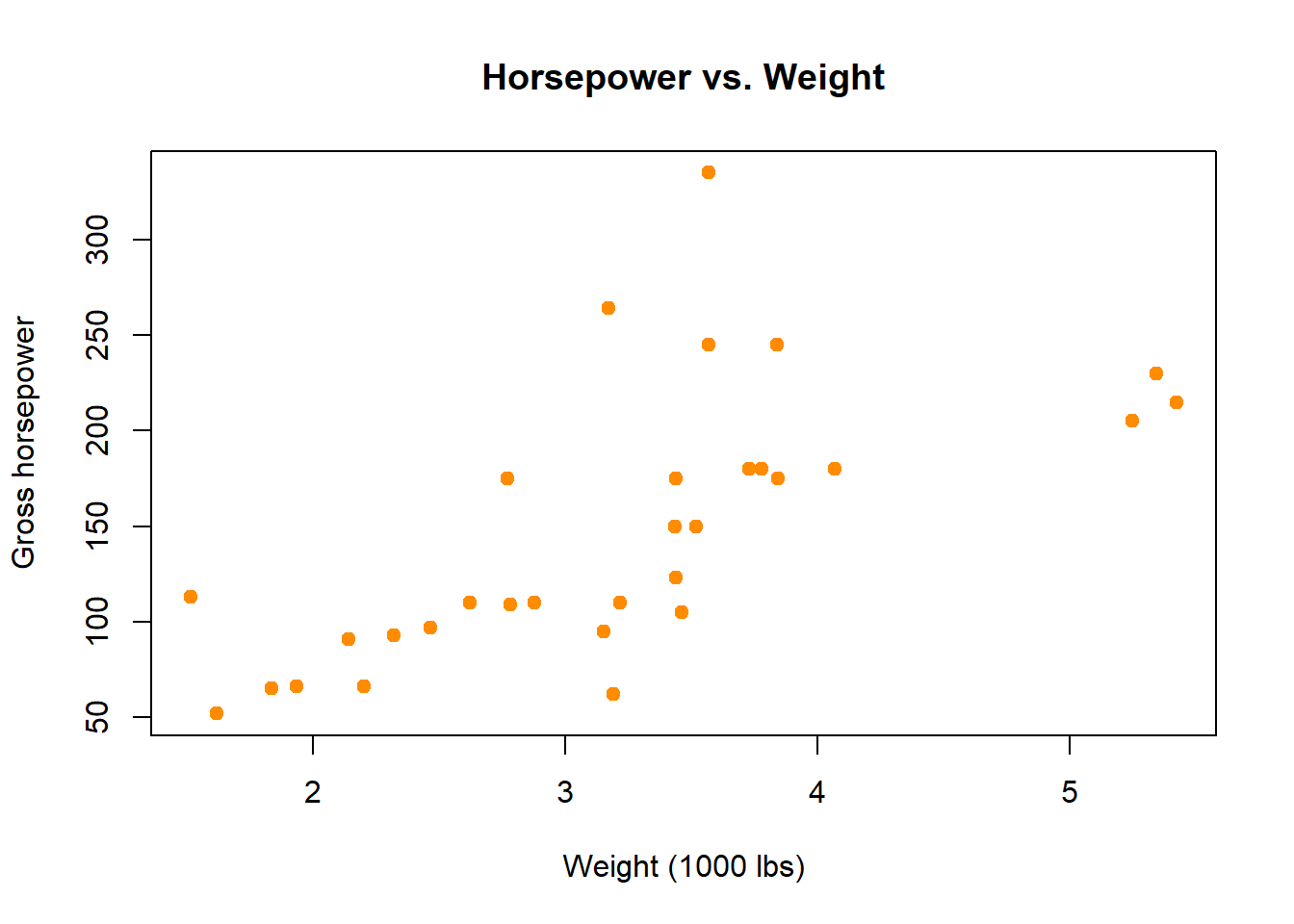
Base R graphics are excellent for creating quick, standard plots. The plot() function is a workhorse for scatter plots.
The Tidyverse is a collection of packages (like {dplyr} and {ggplot2}) designed to make data science more intuitive. It emphasizes readable code and uses the pipe operator (|>) to chain functions together into a clean, sequential workflow.
Data Manipulation with the Tidyverse
The same task in the Tidyverse is a sequence of readable “verbs.” We take the mtcars data, convert the data frame to a “tibble” (an opinionated data frame that changes print and other function methods) using as_tibble(), filter() it to keep only the 8-cylinder cars, and then summarize() by calculating the mean() for our columns.
# We need to load the library firstlibrary(dplyr)
Warning: package 'dplyr' was built under R version 4.4.3
Attaching package: 'dplyr'
The following objects are masked from 'package:stats':

    filter, lag
The following objects are masked from 'package:base':

    intersect, setdiff, setequal, union
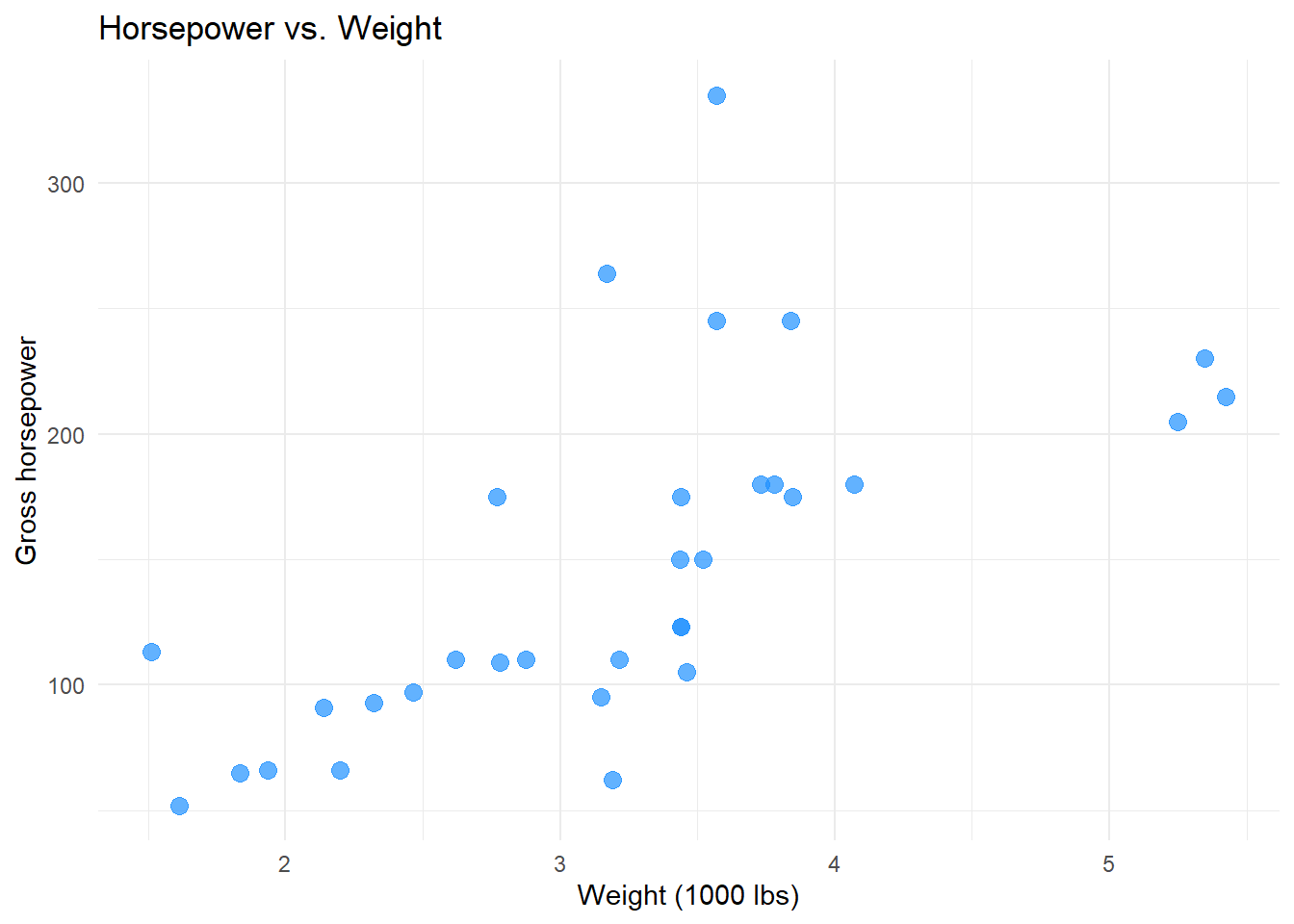
{ggplot2} is the graphics engine of the Tidyverse. It builds plots in layers, starting with ggplot() to define the data and aesthetics (aes), and then adding geometric objects (geoms) like geom_point().
The {data.table} package is famous for its performance, especially with large datasets. It’s a cornerstone of the “tinyverse”—a philosophy favoring minimal dependencies and efficiency. The syntax is very concise, using the general form DT[i, j, by].
i: rows to select (where) j: columns to operate on (select or compute) by: grouping variable(s)
Data Manipulation with data.table
First, we convert the mtcars data frame into a data.table. Then, in a single, compact expression, we filter for cyl == 8 in the i slot and compute the means in the j slot.
# Load the library and convert the datalibrary(data.table)
Warning: package 'data.table' was built under R version 4.4.2
Attaching package: 'data.table'
The following objects are masked from 'package:dplyr':

    between, first, last
mt_dt <-as.data.table(mtcars, keep.rownames ="car")# The i, j syntax in actionavg_stats_dt <- mt_dt[cyl ==8, .(avg_mpg =mean(mpg), avg_hp =mean(hp))]print(avg_stats_dt)
   avg_mpg   avg_hp
     <num>    <num>
1:    15.1 209.2143
Plotting with data.table
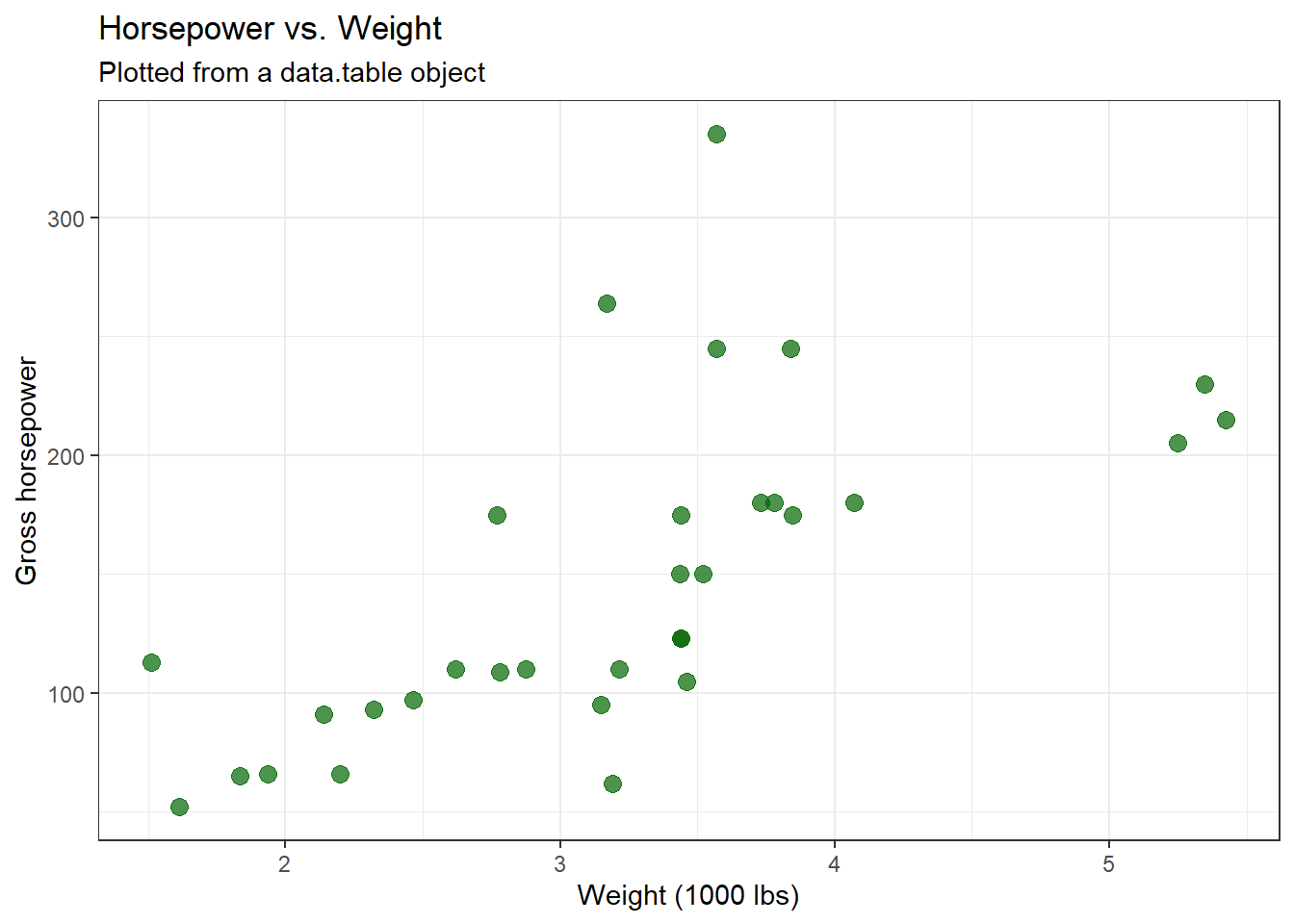
While data.table doesn’t have its own plotting system, it works seamlessly with other plotting libraries like ggplot2 or base R’s plot().
# data.table objects are also data.frames, so ggplot2 works perfectlyggplot(mt_dt, aes(x = wt, y = hp)) +geom_point(color ="darkgreen", size =3, alpha =0.7) +labs(title ="Horsepower vs. Weight",subtitle ="Plotted from a data.table object",x ="Weight (1000 lbs)",y ="Gross horsepower" ) +theme_bw()
Interactive analysis, teaching, projects where clarity is key.
data.table
Speed and memory efficiency
Large datasets, high-performance needs, production code.
No single dialect is “best”—they are all powerful tools. The right choice depends on your specific task, the size of your data, and your personal or team’s preference. Happy coding!